


A Salesforce that stays accurate on its own. Connect HelpDesk.com with Salesforce using Workflows, and every chat and ticket keeps your contacts, leads, and cases current automatically.
Free 14-day trial No credit card required
Text products are trusted by 35,000+ leading brands














Your CRM is only as useful as it is current. HelpDesk.com writes CRM data straight from the conversations your team is already having.
When someone reaches out over chat or opens a ticket, a Workflow creates or updates the record in Salesforce: a contact, a lead, an account, or a case.
No copy and paste, no missed records. The Salesforce record is there before anyone on your team thinks to add it.
A chat or ticket reaches Salesforce directly through Workflows. No code, and no third-party connector in between.
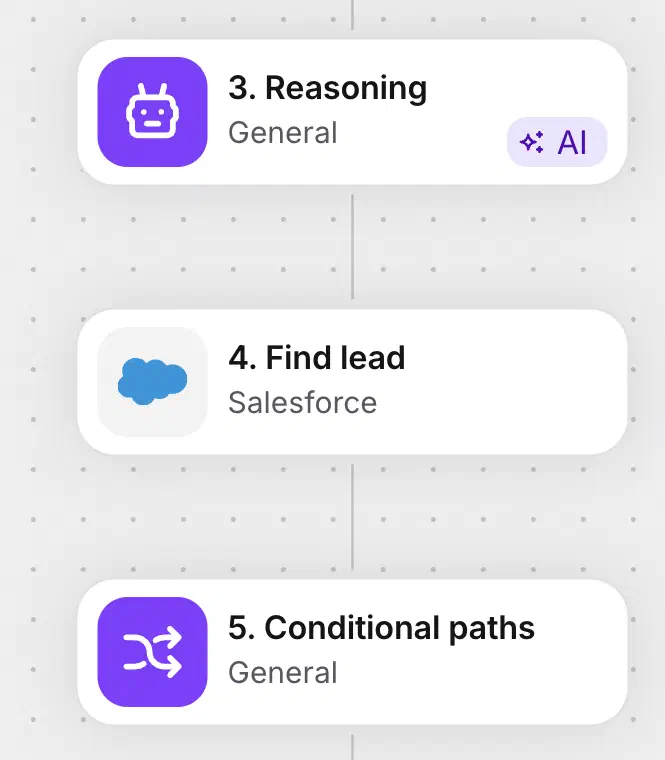
Find, create, and update contacts, accounts, leads, and cases from the Workflows builder. Queue records and run bulk imports when you need volume. Pick an action, map the fields, publish.
 Popular use
When a new chat starts or a ticket comes in, a Workflow pulls the customer's name and email and creates a lead or contact in Salesforce. Every first conversation becomes a record your sales team can act on.
 Easy to use
Find a contact or lead by email before you act, then update only the fields you map. Check first, write second, and your Salesforce never fills up with duplicates or stale data.
 Work booster
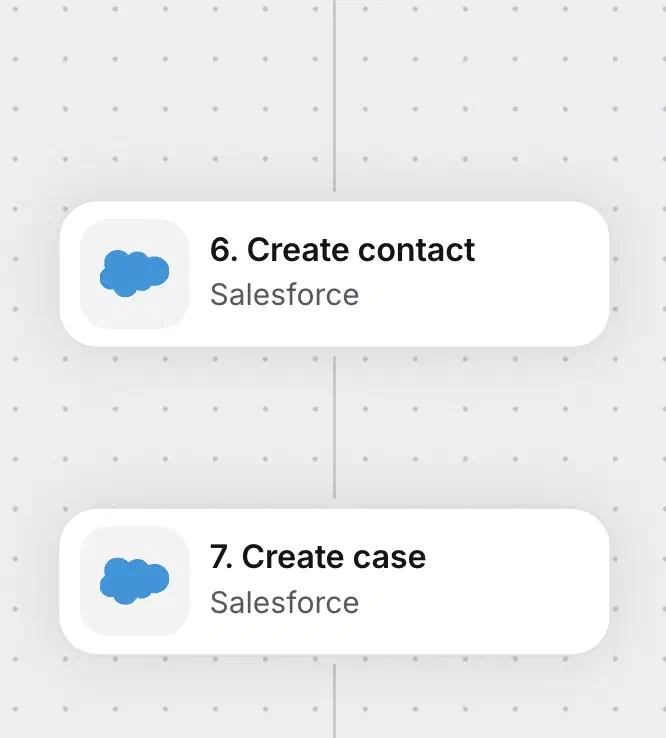
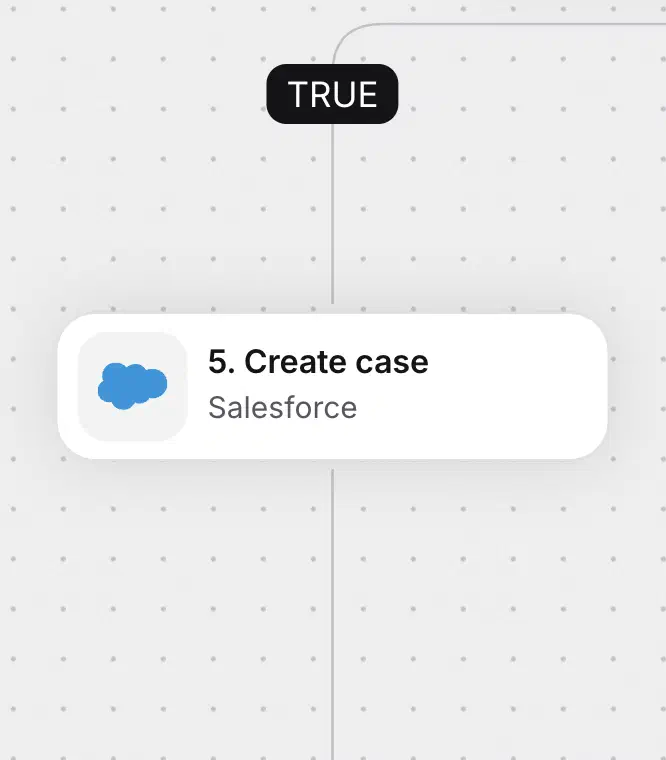
Turn a ticket into a Salesforce case linked to the right contact or account, with status, priority, and origin set by the Workflow. Your service history lives where your account teams already work.
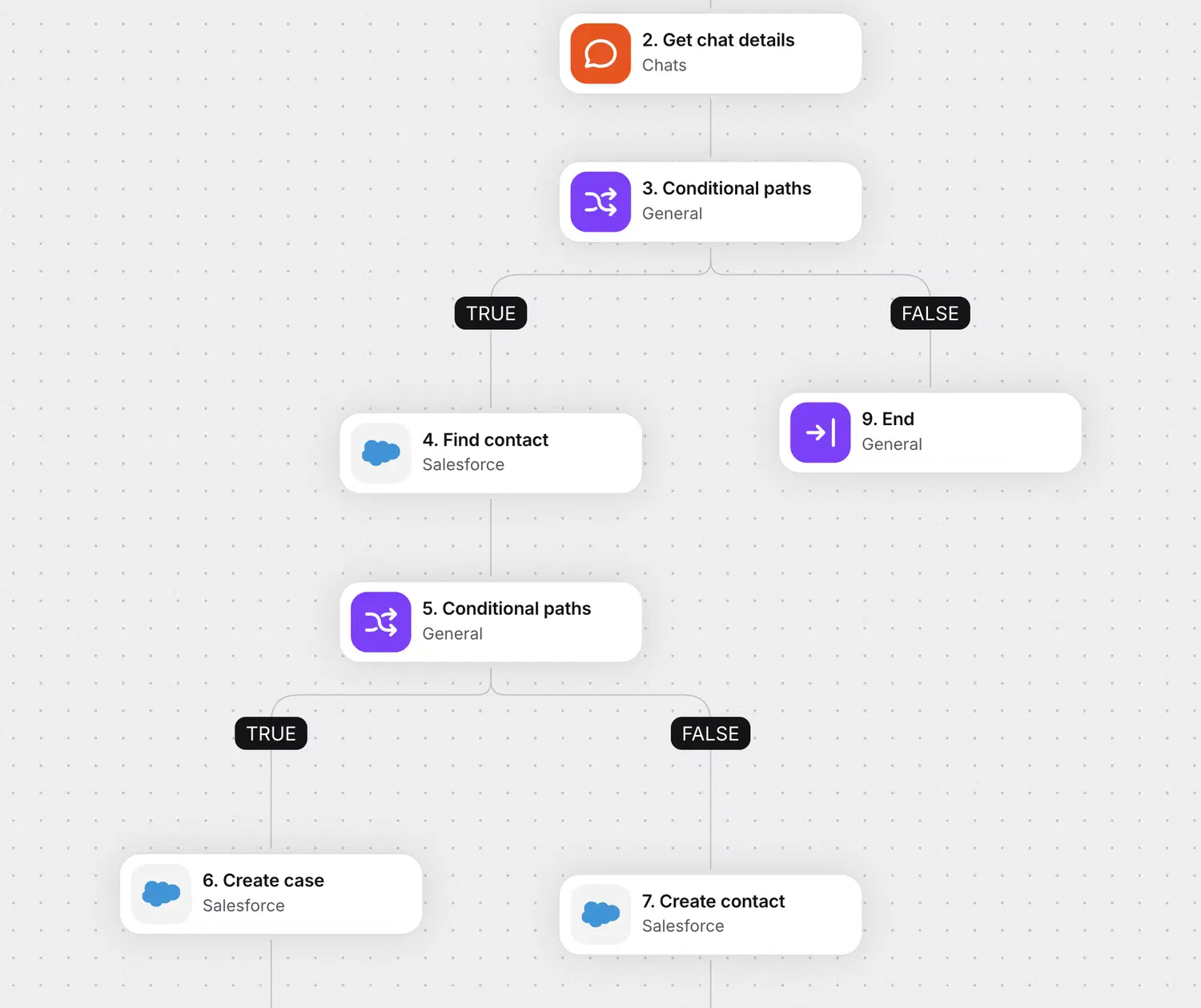
Every Workflow is a trigger plus one or more actions. A typical Salesforce flow looks like this:
A new chat starts, or a ticket is created.
Pull the visitor's name, email, and context.
Create the lead, update the contact, or log the case.
Publish it once and it runs on its own. It works from live chat and from the ticket form, so you capture people whether your team is online or offline.
New to Workflows? Read the step-by-step guide in the Help Center.
Start your free 14-day trialSalesforce Workflows come with 7 ready-to-use templates. Connect your account, pick a starting point, and it runs on your own data in minutes, no building from scratch.
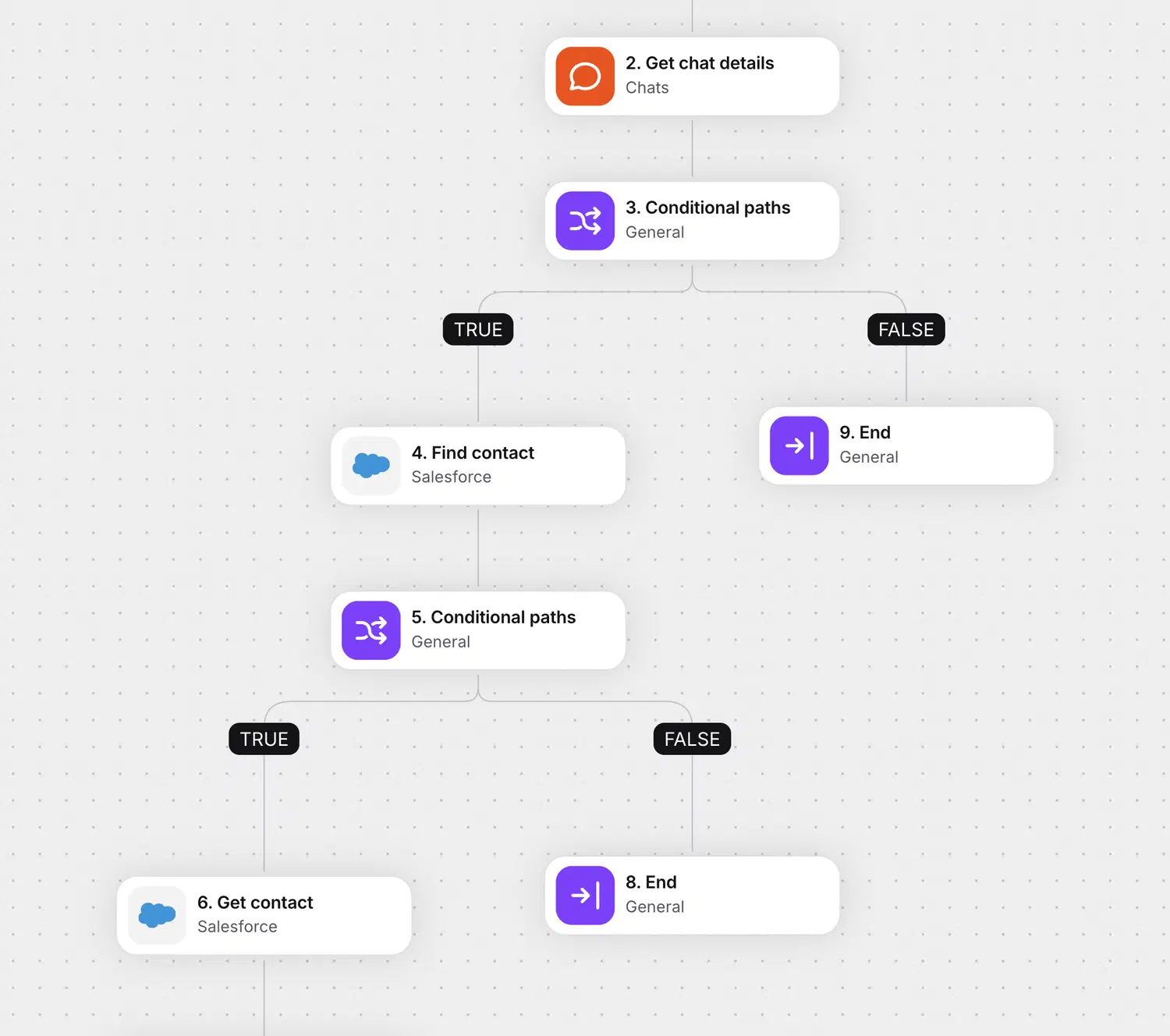
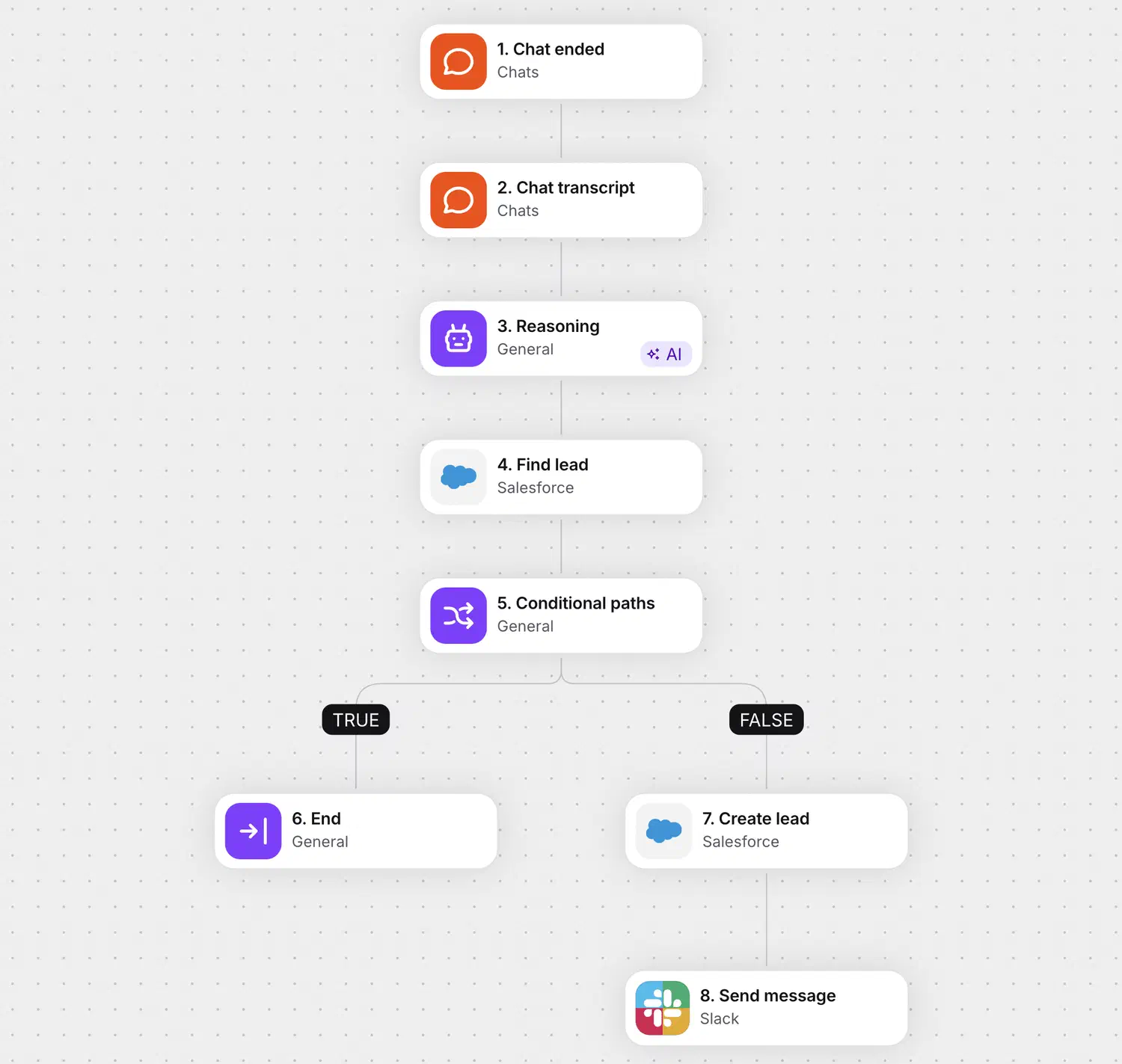
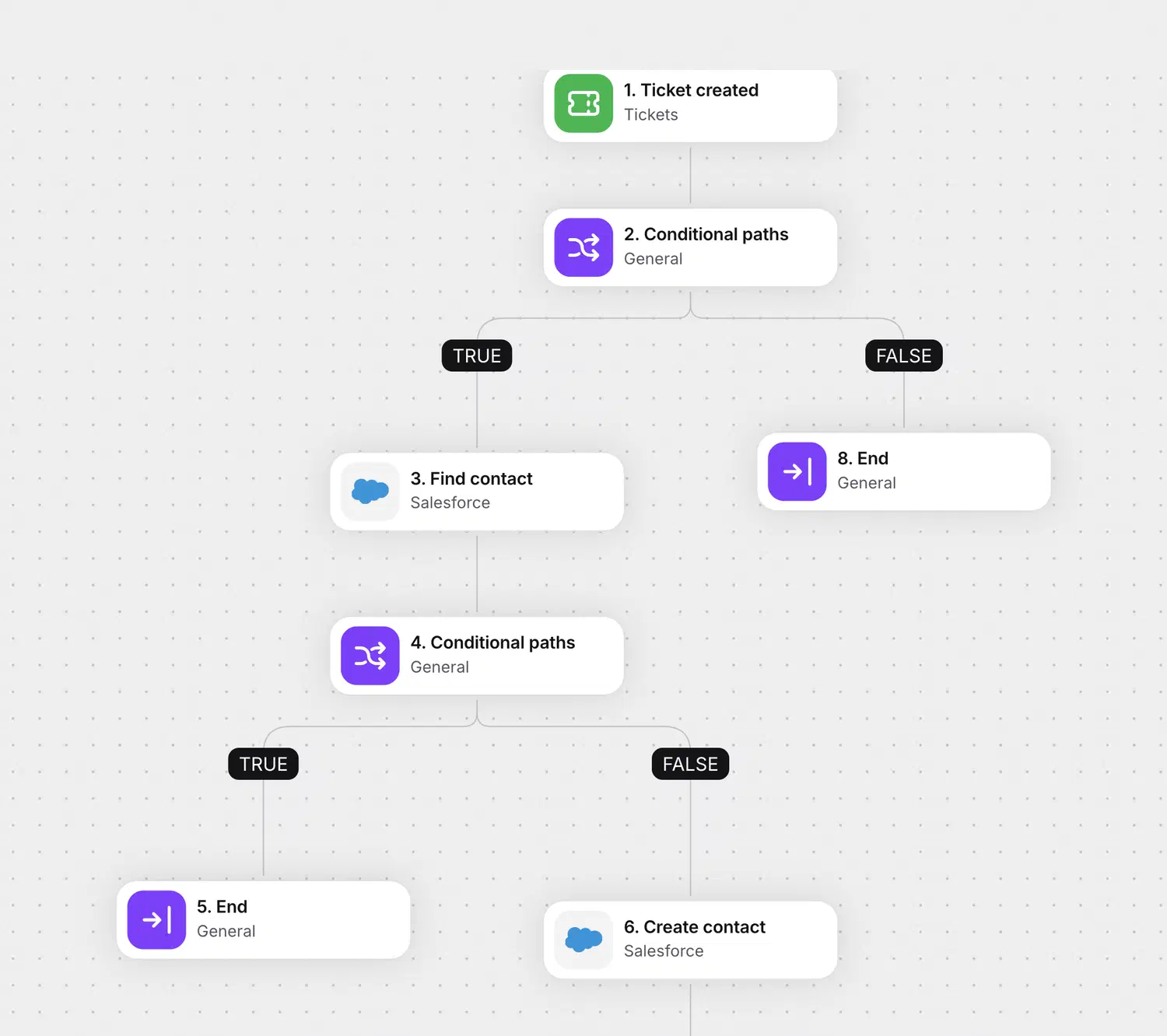
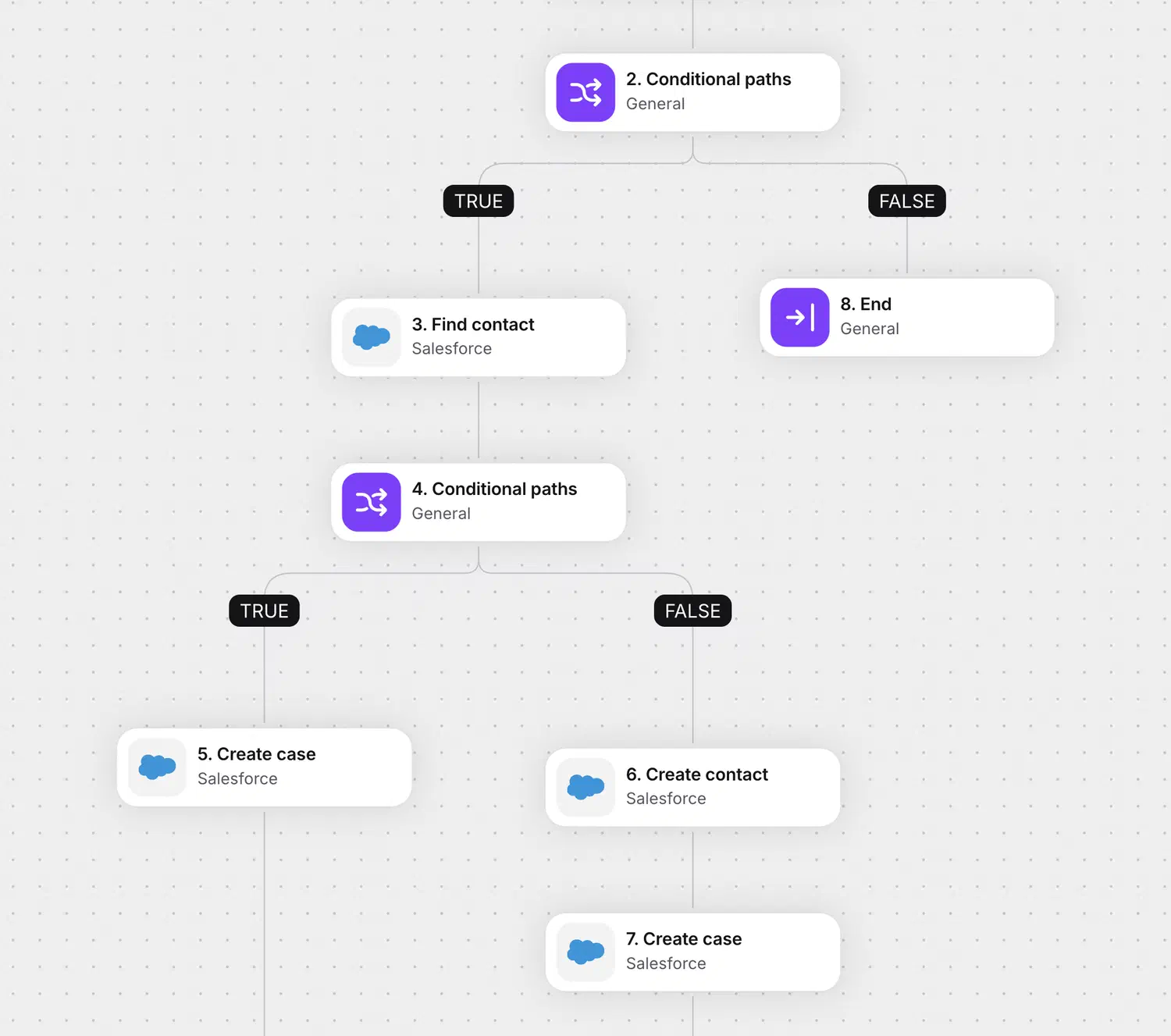
Native actions cover contacts, accounts, leads, and cases. For everything else, the HTTP request action calls the Salesforce API directly inside the same Workflow.
Open or update an opportunity when a conversation turns into pipeline, without waiting for a hand-off.
Write to the objects your org actually runs on, whatever your admins have built.
Point the HTTP action at the Salesforce API endpoint you need and use the response in later steps.
The HTTP request action does take some technical setup, since you point it at the Salesforce API endpoint you need.
Support conversations are full of buying signals. These flows act on them, each a trigger plus a few Salesforce actions.
When a chat ends, create a lead in Salesforce from what the visitor shared.
When a chat ends, qualify the lead with AI, then create it in Salesforce.
When a lead looks qualified, create the record in Salesforce and send a message in Slack.
When a ticket is resolved, create an upsell case on the account so sales follows up.
When a ticket is updated, update the contact in Salesforce with the latest details.
When a customer rates poorly, update the record and alert the owner before renewal is at risk.
Your service desk stops being a cost center and starts feeding your pipeline.
Sign up freeTriggers and actions aren't limited to your help desk. Pull customer data in, push updates out, and keep every tool in sync without switching tabs.

Create, find, and update HubSpot contacts from a workflow step, and start workflows when contacts are created or deleted in HubSpot.

The ecommerce integration puts a customer's last order, payment and shipment status, and live cart next to the conversation. Available on licenses with ecommerce integrations.

Send a message to a public or private channel when something needs attention, like an urgent ticket or a bad rating.

Start workflows from marketing events, and keep contact data moving between your tools and audiences.

Add an OpenAI step to process text inside a workflow, right where the conversation lives.
Send an HTTP request to any external API as a workflow action. If a tool has an API, a workflow can reach it.
This is a slice of what Workflows connect. See everything help desk automation can handle.
It keeps your Salesforce CRM in sync with your support conversations. Using Workflows, HelpDesk.com can create and update contacts, accounts, leads, and cases from what happens in chats and tickets, so your CRM reflects your service work without anyone typing it in twice.
There are 19 native actions, no code required: get, find, create, and update contacts, accounts, and leads, create and update cases, queue records, and run bulk imports through the Salesforce Bulk API. For anything beyond those, a workflow uses the HTTP request action to call the Salesforce API.
No. Workflows is a visual, no-code builder: you choose a trigger and add Salesforce actions from drop-down lists. Only the HTTP request action, used to reach parts of Salesforce beyond the native actions, needs some technical setup.
Yes. Workflows and the Salesforce actions are part of the Text platform, so the same setup works across HelpDesk.com and LiveChat.
In your Text app, open Workflows, add a Salesforce action, and connect your Salesforce account once when prompted. From then on, any Workflow can use the Salesforce actions. You build the flow by picking a trigger, such as a chat starting or a ticket being created, and adding the actions that follow.
Yes, 7 of them, covering agent context on chat start, lead capture, AI lead qualification, ticket-to-case logging, post-resolution upsell, and churn flagging. Pick a template, connect Salesforce, and adjust it to your process.
Yes. You connect your existing Salesforce account to Text, then build Workflows that use the Salesforce actions with your own objects and fields, including custom fields.
Salesforce is the world's most widely used CRM platform, where sales, service, and marketing teams keep their accounts, contacts, leads, and cases. Connecting it to your help desk means every support conversation can keep those records current.

Keep your CRM accurate, capture every lead, and let your conversations do the data entry.
Free 14-day trial No credit card required