


Turn support conversations into up-to-date CRM records. Connect HelpDesk.com with HubSpot using Workflows, and let every chat and ticket keep your contacts current automatically.
Free 14-day trial No credit card required
Text products are trusted by 35,000+ leading brands














Your CRM is only as useful as it is current. Text writes contact data straight from the conversations your team is already having.
When someone reaches out over chat or opens a ticket, a Workflow creates or updates the contact in HubSpot.
No copy and paste, no missed records. The HubSpot contact is there before anyone on your team thinks to add it.
A chat or ticket reaches HubSpot directly through Workflows. No code, and no third-party connector in between.
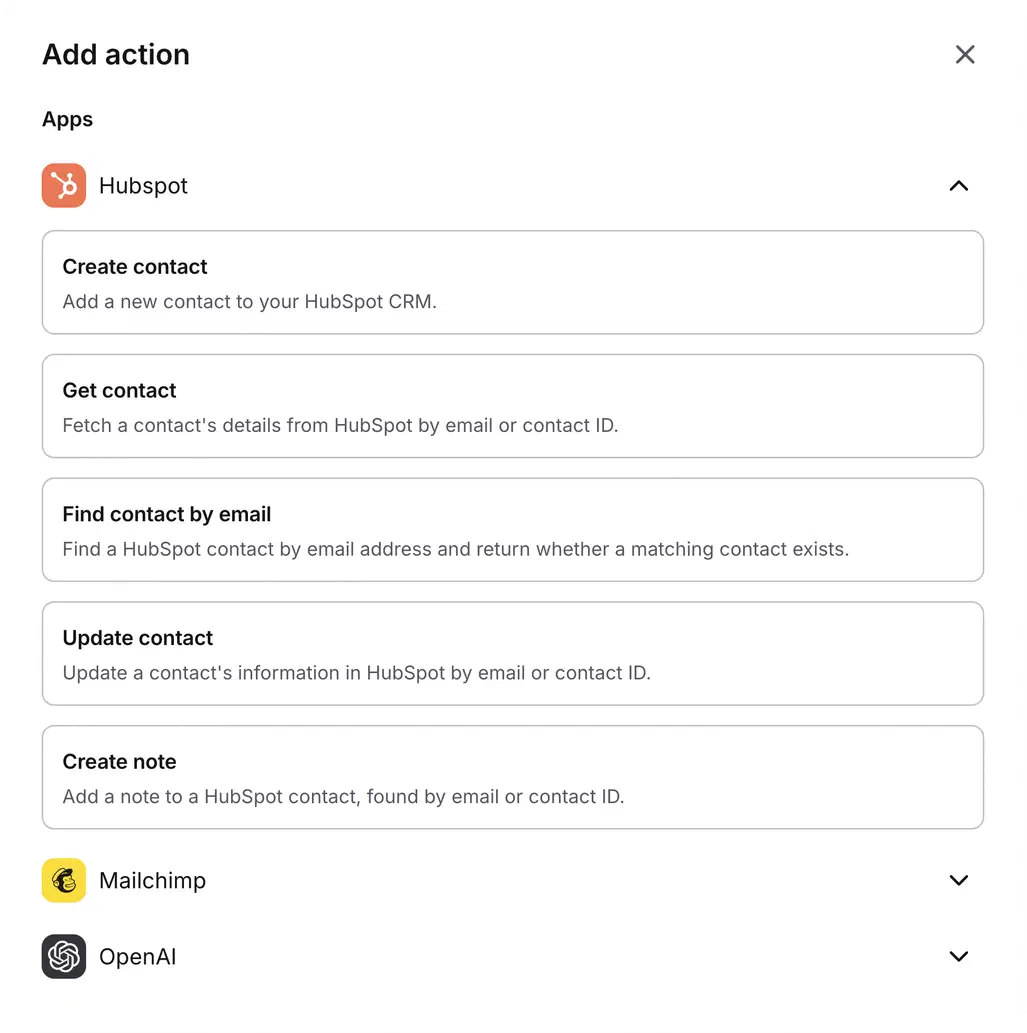
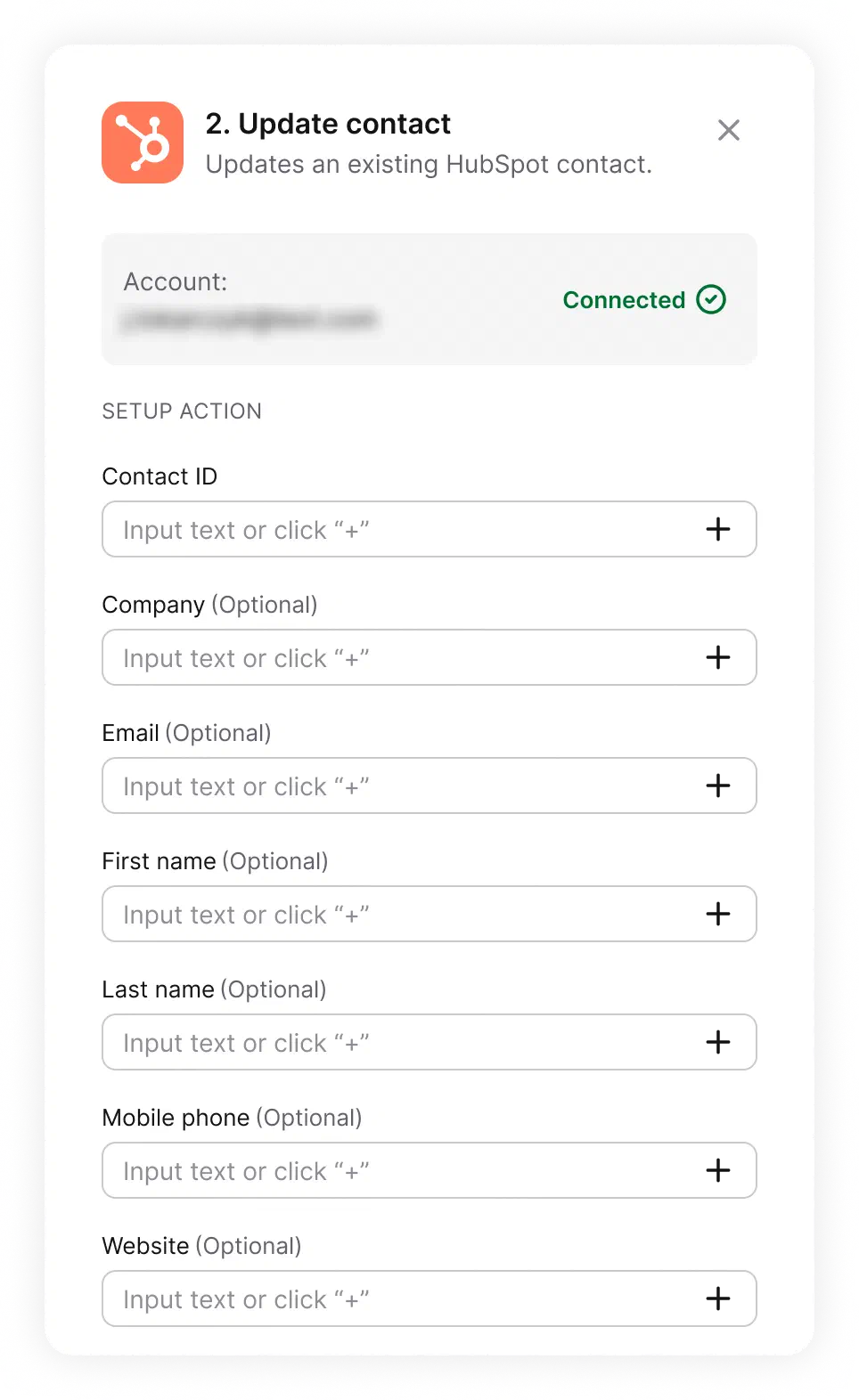
Create contacts, look them up, update them, and attach notes, all from the Workflows builder. Pick an action, map the fields, publish.
 Popular use
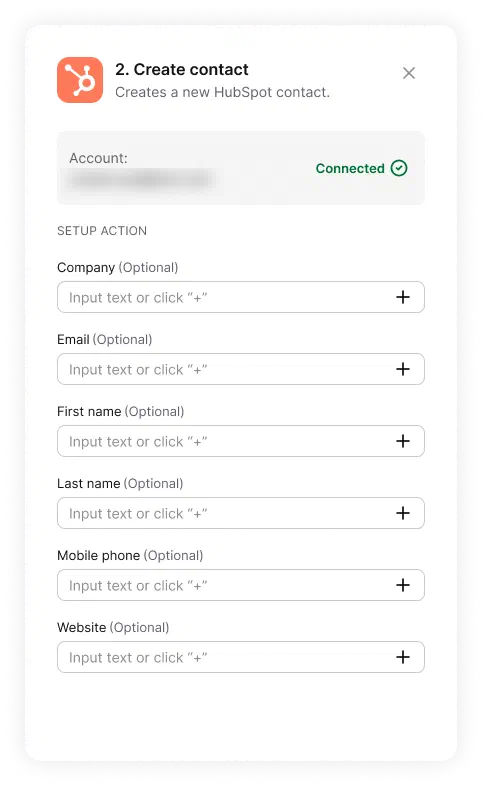
When a new chat starts or a ticket comes in, a Workflow pulls the customer's name and email and creates a contact in HubSpot CRM. Every first conversation becomes a record your sales and marketing teams can act on.
 Easy to use
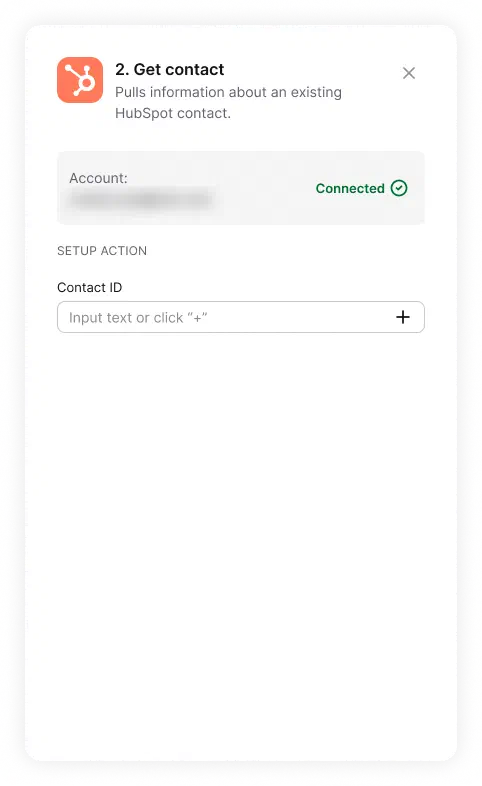
Pull an existing contact by email or ID so a Workflow can check who's reaching out before it creates or changes anything. Check first, and you never end up with duplicates.
 Work booster
Update a contact's details from what happened in the conversation, so your CRM reflects the latest without anyone retyping it. Adding a note to the record works the same way.
Every Workflow is a trigger plus one or more actions. A typical HubSpot flow looks like this:
A new chat starts, or a ticket is created.
Pull the visitor's name, email, and context.
Create the contact, update an existing one, or add a note.
Publish it once and it runs on its own. It works from live chat and from the ticket form, so you capture people whether your team is online or offline.
New to Workflows? Read the step-by-step guide in the Help Center.
Start your free 14-day trialHubSpot events can start Workflows too, so what happens in your CRM can kick off work on the support side.
Start the follow-up the moment a record appears: create a ticket for the onboarding team, add the contact to a Mailchimp audience, or notify your team on Slack.
Keep your systems tidy: notify the account owner on Slack or create a cleanup ticket, so nothing keeps pointing at a record that's gone.
Support conversations are full of buying signals. Here are workflows you can build to act on them, each a trigger plus a few HubSpot actions.
When a chat ends, create a contact in HubSpot from what the visitor shared.
When a chat ends, qualify the lead with AI, then create a contact in HubSpot.
When a ticket is resolved, summarize it with AI and add a note to the HubSpot contact.
When a ticket is updated, update the contact in HubSpot with the latest details.
When a lead looks qualified, create the contact in HubSpot and send a message in Slack.
When a contact is created in HubSpot, create a ticket so onboarding starts right away.
Your service desk stops being a cost center and starts feeding your pipeline.
Sign up freeNative actions cover contacts and notes. For everything else, the HTTP request action calls the HubSpot API directly inside the same Workflow, so one flow can create a contact and then reach the rest of your CRM.
Open or update a deal when a conversation turns into an opportunity, so the pipeline moves without a hand-off.
Create or update the company record behind a contact, and keep account details in sync with what support learns.
Add a contact to the right list to trigger the marketing or nurture sequence that fits where they are.
The HTTP request action does take some technical setup, since you point it at the HubSpot API endpoint you need.
Triggers and actions aren't limited to your help desk. Pull customer data in, push updates out, and keep every tool in sync without switching tabs.

Find, create, and update accounts, contacts, leads, and cases from a workflow step. Queue records for bulk import when you need volume.

The ecommerce integration puts a customer's last order, payment and shipment status, and live cart next to the conversation. Available on licenses with ecommerce integrations.

Send a message to a public or private channel when something needs attention, like an urgent ticket or a bad rating.

Start workflows from marketing events, and keep contact data moving between your tools and audiences.

Add an OpenAI step to process text inside a workflow, right where the conversation lives.
Send an HTTP request to any external API as a workflow action. If a tool has an API, a workflow can reach it.
This is a slice of what Workflows connect. See everything help desk automation can handle.
It keeps your HubSpot CRM in sync with your support conversations. Using Workflows, Text can create a HubSpot contact from a new chat or ticket, look one up, update it, and attach a note, so your CRM reflects what happens in support without anyone typing it in twice.
Five native actions, no code required: create a contact, get a contact, find a contact by email, update a contact, and add a note to a contact. To reach deals, companies, or lists, a workflow uses the HTTP request action to call the HubSpot API.
Yes, the integration works both ways. When a contact is created or deleted in HubSpot, that event can start a Workflow on the Text side, for example opening a follow-up ticket or notifying your team in Slack.
Yes. Workflows and the HubSpot actions are part of the Text platform, so the same setup works across HelpDesk.com and LiveChat.
In your Text app, open Workflows, add a HubSpot action, and connect your HubSpot account once when prompted. From then on, any Workflow can use the HubSpot actions. You build the flow by picking a trigger, such as a chat starting or a ticket being created, and adding the actions that follow.
No. Workflows is a visual, no-code builder: you choose a trigger and add HubSpot actions from drop-down lists. Only the HTTP request action, used to reach parts of HubSpot beyond contacts, needs some technical setup.
You connect your existing HubSpot account, and the contact actions work with HubSpot's free CRM. Some HubSpot features you might reach through the HTTP request action depend on your HubSpot plan.
HubSpot is an all-in-one platform for marketing, sales, and customer service, built around a central CRM that stores your contacts and their history. Connecting it to your help desk means every support conversation can keep those records current.

Keep your CRM current, capture every lead, and let your conversations do the data entry.
Free 14-day trial No credit card required