
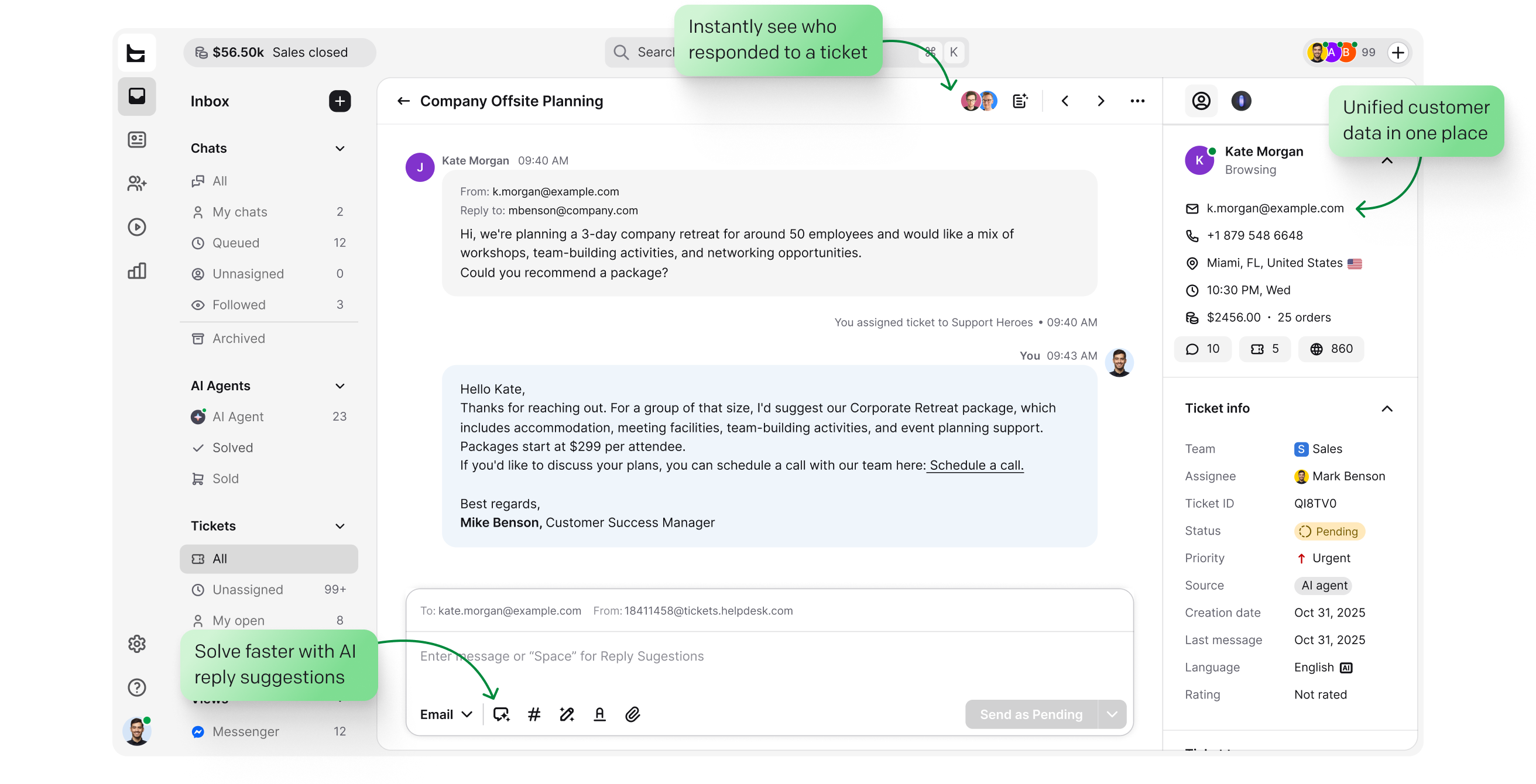
Every ticket opens with the full customer story: contact details, order history, and past conversations. You answer faster, and an AI agent resolves the routine cases for you.
No credit card required Free 14-day trial
Text products are trusted by 35,000+ leading brands














Support goes faster when the answers about the customer are already on the screen. HelpDesk.com keeps them there.
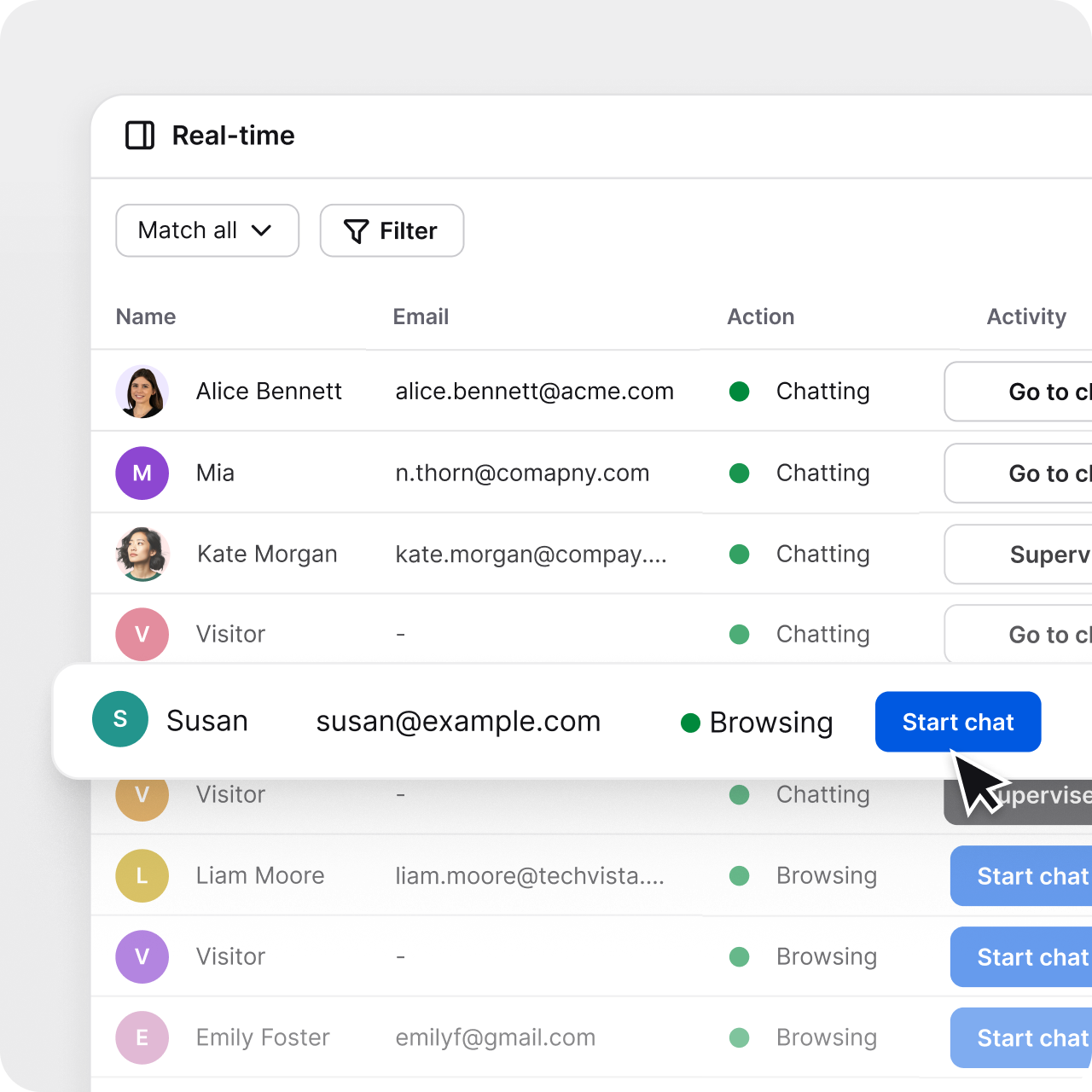
Every conversation adds to your customer list, with no data entry and no import. Open a profile to see contact details and history, and watch who's on your site right now.
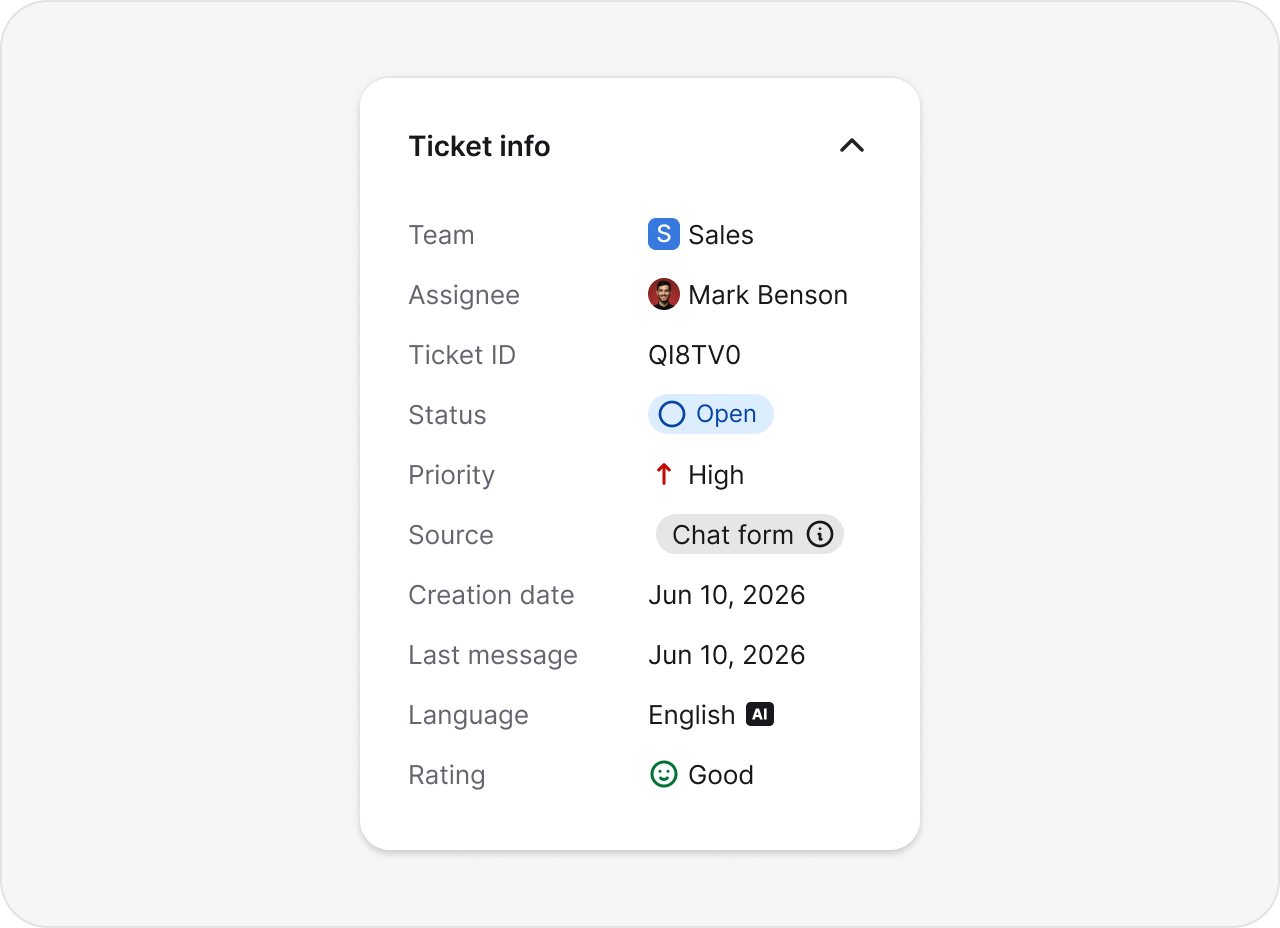
History, ownership, priority, and customer info sit next to the conversation. You start every case knowing what happened before, with no lookup in a second tool.
Connect Shopify or BigCommerce to see the last order, payment and fulfillment status, and live cart value next to the conversation.
Store the details your team needs on the ticket itself: an order ID, account tier, or region. Filter and report on them like any other field.
Keep internal context with the case. Notes and followers travel with the ticket, so a handoff never loses the story.
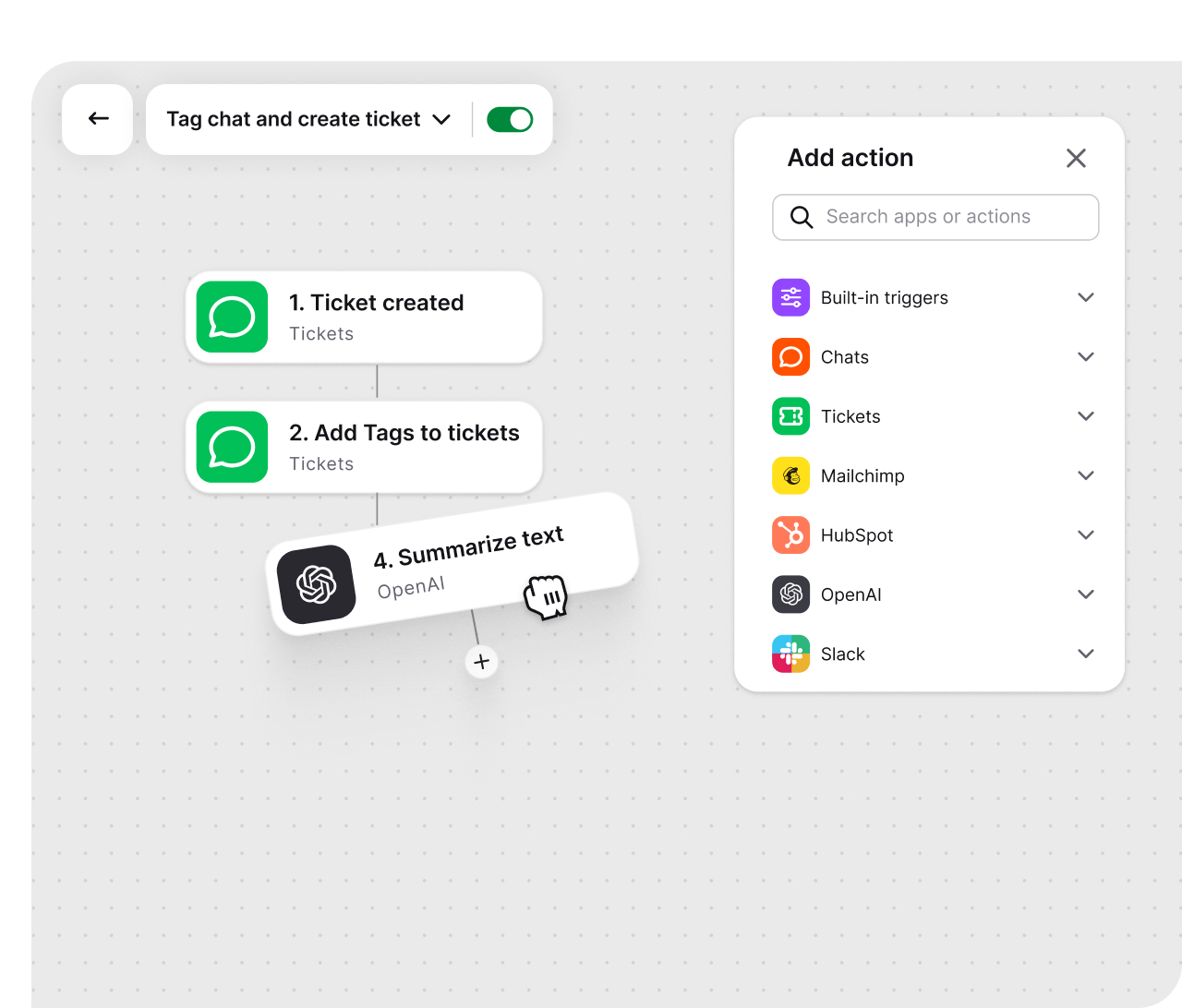

Capture new leads from first-time support chats
Log support tickets as Salesforce cases
Create an upsell case after a ticket is resolved
Show Salesforce profile to the agent on chat start


Qualify chat leads with AI and sync to Salesforce and Slack

Add leads to HubSpot

Add leads to Mailchimp

Create Shopify customer from finished chat
CRM not on the list? Webhooks and the API connect any tool that accepts an HTTP request. See everything help desk automation can handle.
Statuses, priorities, tags, and views keep every case tracked. Collision detection stops two agents from answering the same ticket, canned responses speed up the common replies, and round-robin auto-assignments keep the workload even.
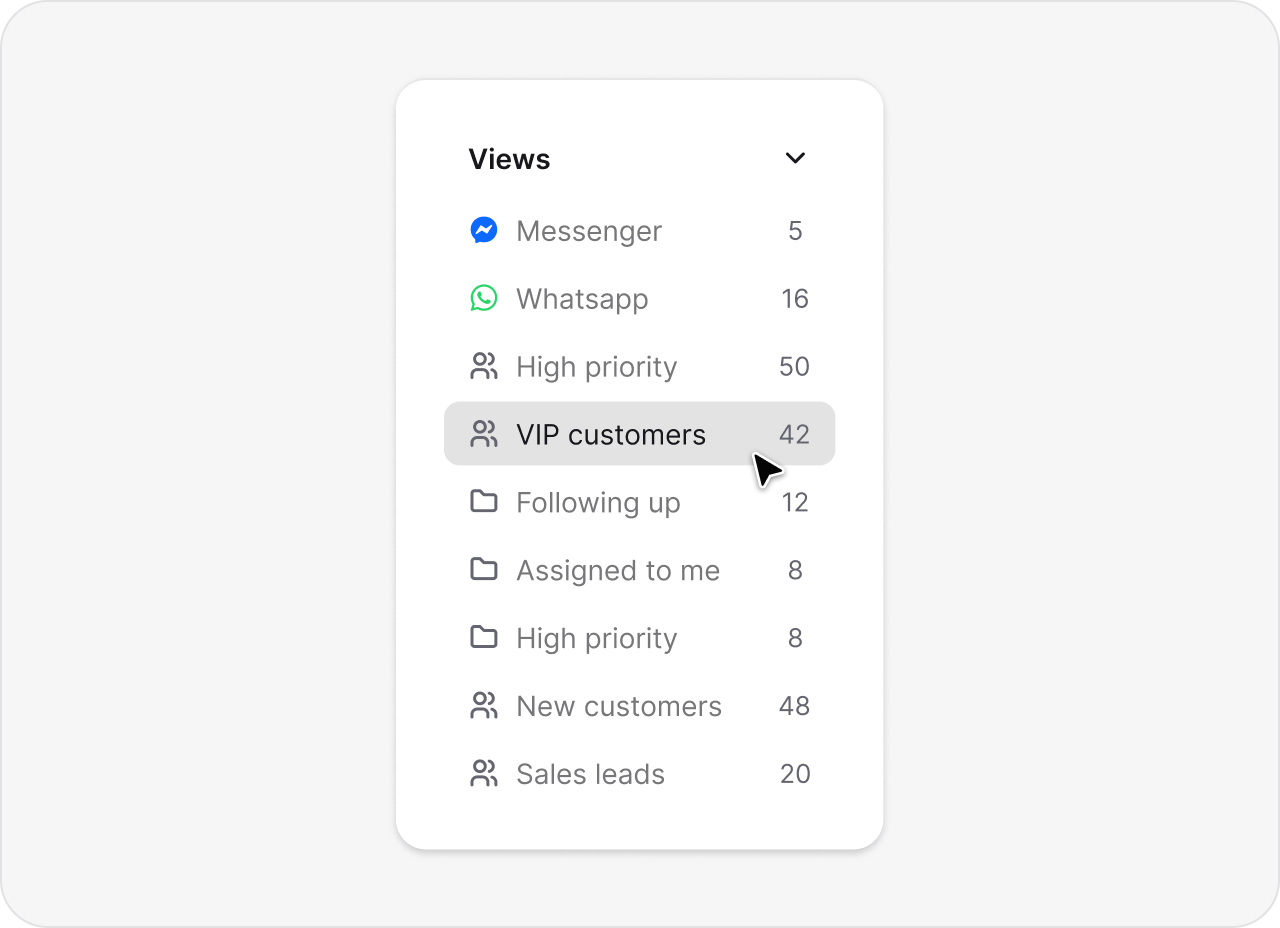
Build custom views around your team's priorities and day-to-day workflows.
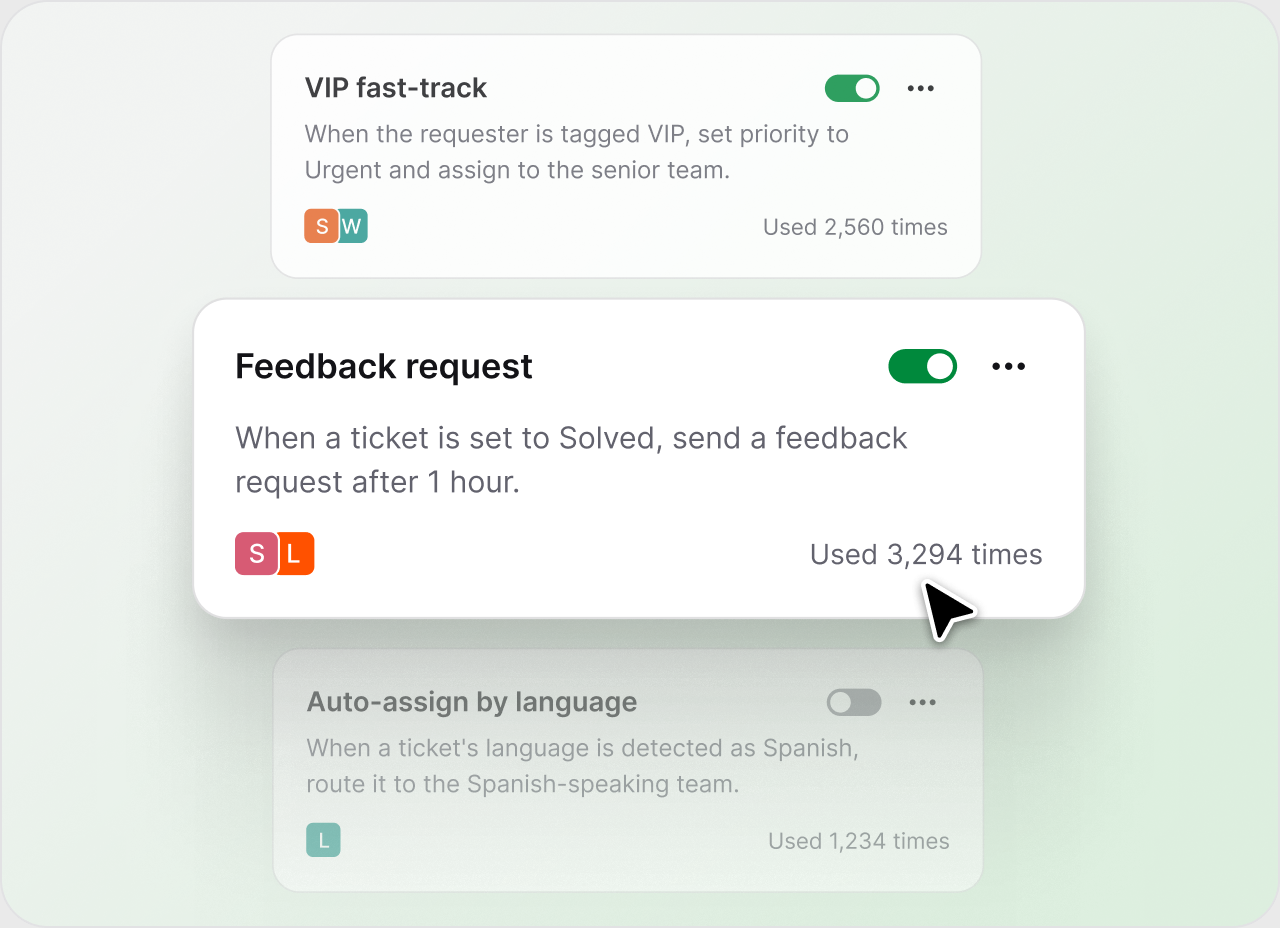
Build automated workflows that cut out repetitive, labor-intensive steps in case resolution.
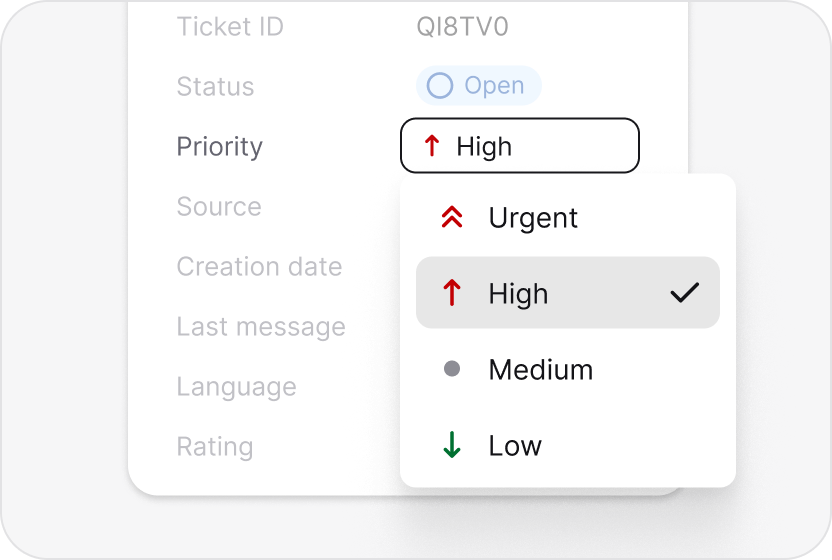
Surface high-impact tickets and SLA risks first, so nothing urgent slips through.
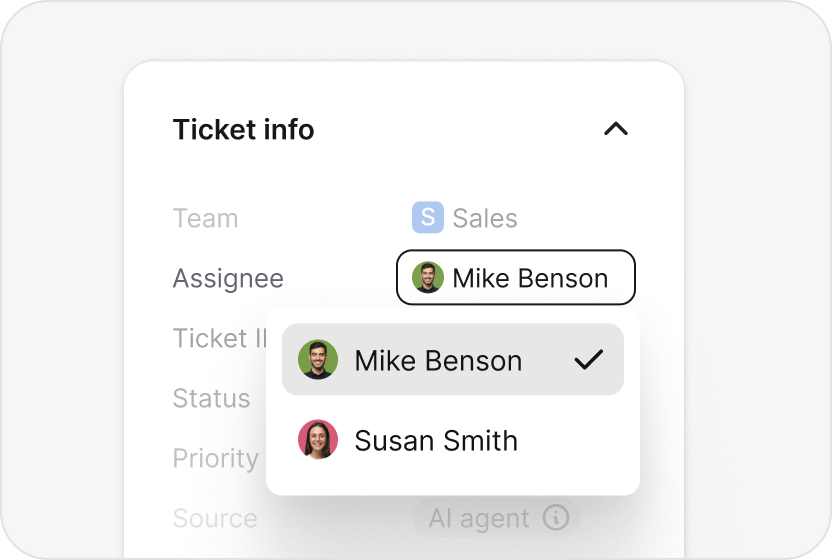
Route tickets by workload, language, and skills, automatically.
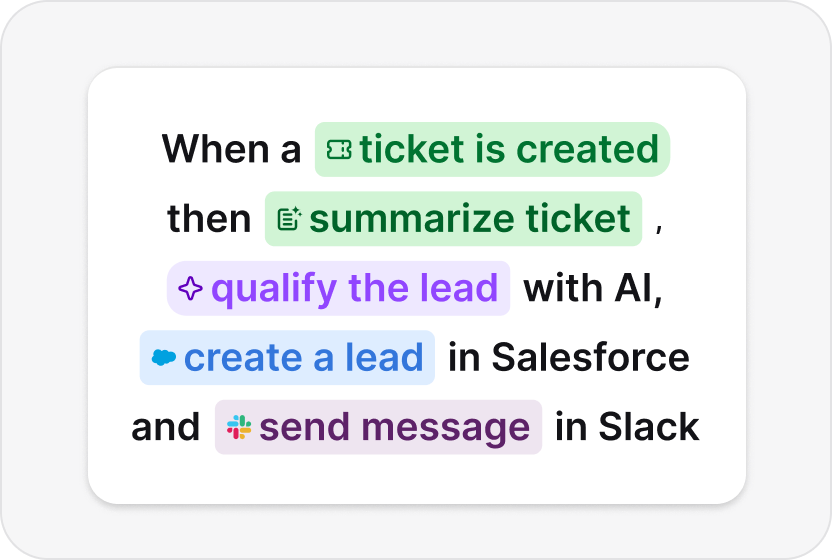
Set workflows that flag VIPs, protect SLAs, and qualify leads on their own.
39%
less time spent per ticket at Brastel
4,000
tickets per week using automation at P4P Partners
100+
tickets handled in 4 hours via prioritization and tagging at Valley Driving School

Free 14-day trial No credit card required
Your AI agent learns from your knowledge base and sees the same customer details your team does. It resolves routine cases the moment they arrive and hands the rest to your team with full context.
Reply suggestions, Refine, and Copilot speed up the answers your team writes. And in the Playbook, workflows and the agent's custom skills come together as Skills.
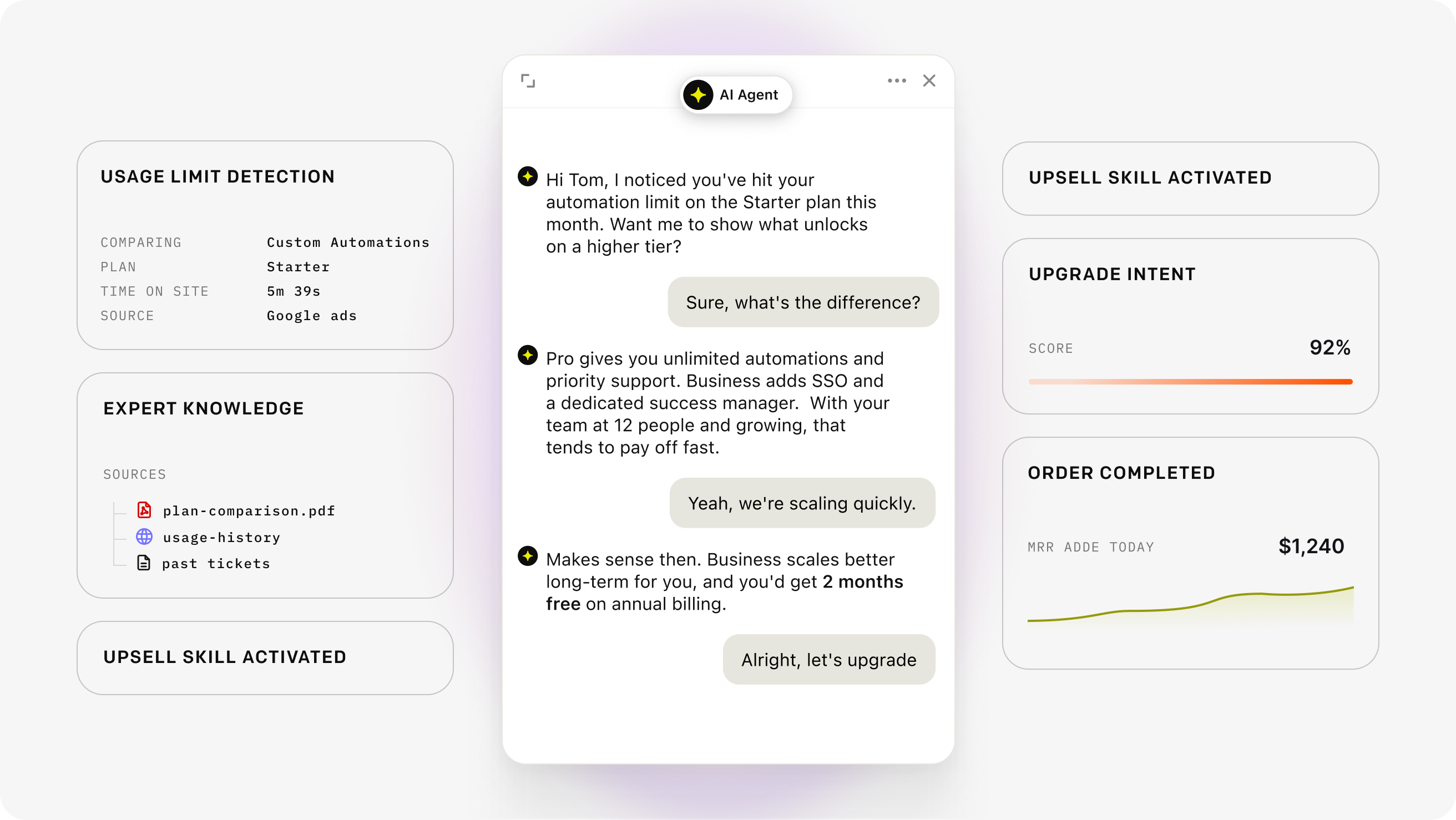
Up to 73%
of customer cases resolved before a ticket is created
+266%
lift in visit-to-order rate for ecommerce stores running Text's AI agent
24/7
answers in the customer's language, with a clean handoff to your team
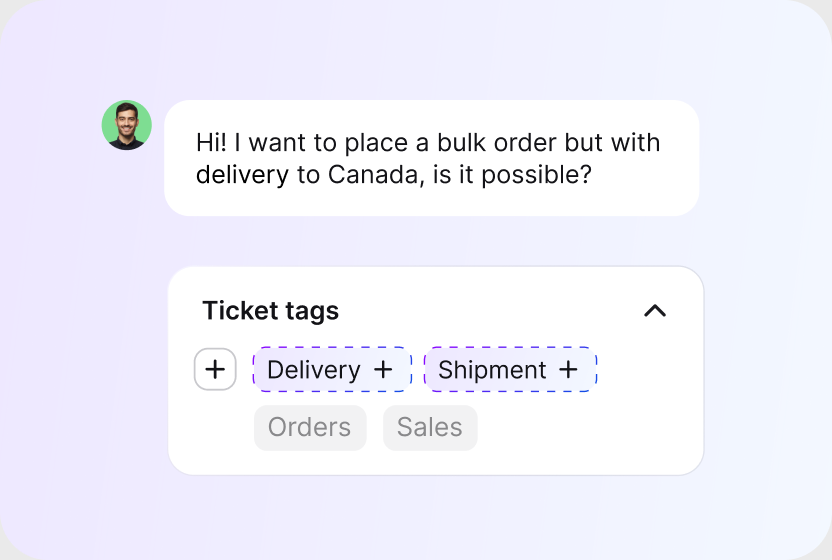
AI reads each ticket and suggests the right tags, so cases sort and track themselves. Less manual triage, cleaner reporting.
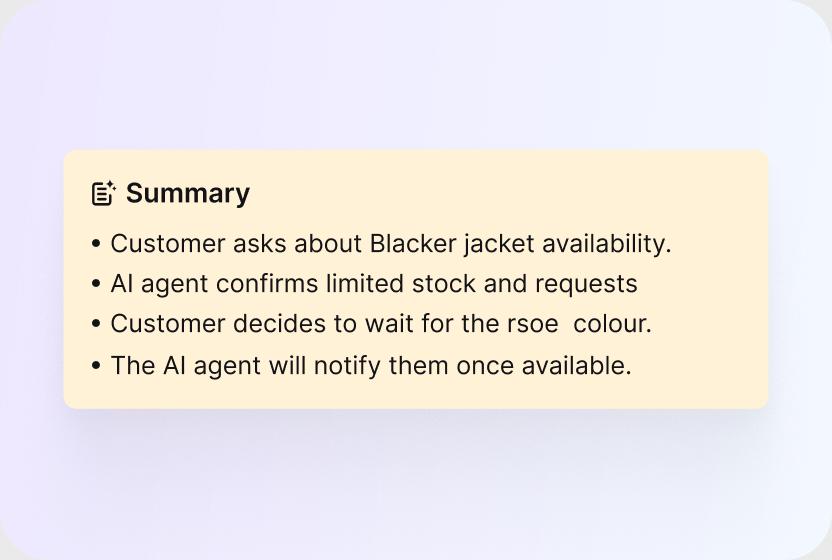
See the subject, the core issue, and the suggested next step at a glance. Walk into any handoff already knowing what happened.
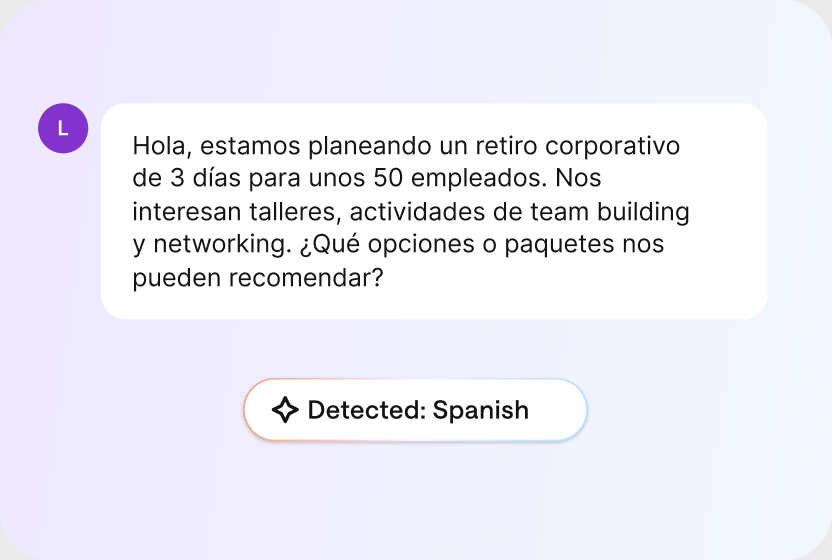
AI detects the customer's language and routes the conversation to a teammate who can help, with no manual triaging.
Context does more than close tickets. Your AI agent spots buying intent, recommends products, and shares discount codes, while reports show the revenue your conversations bring in. AI spots the signal. Your team closes.
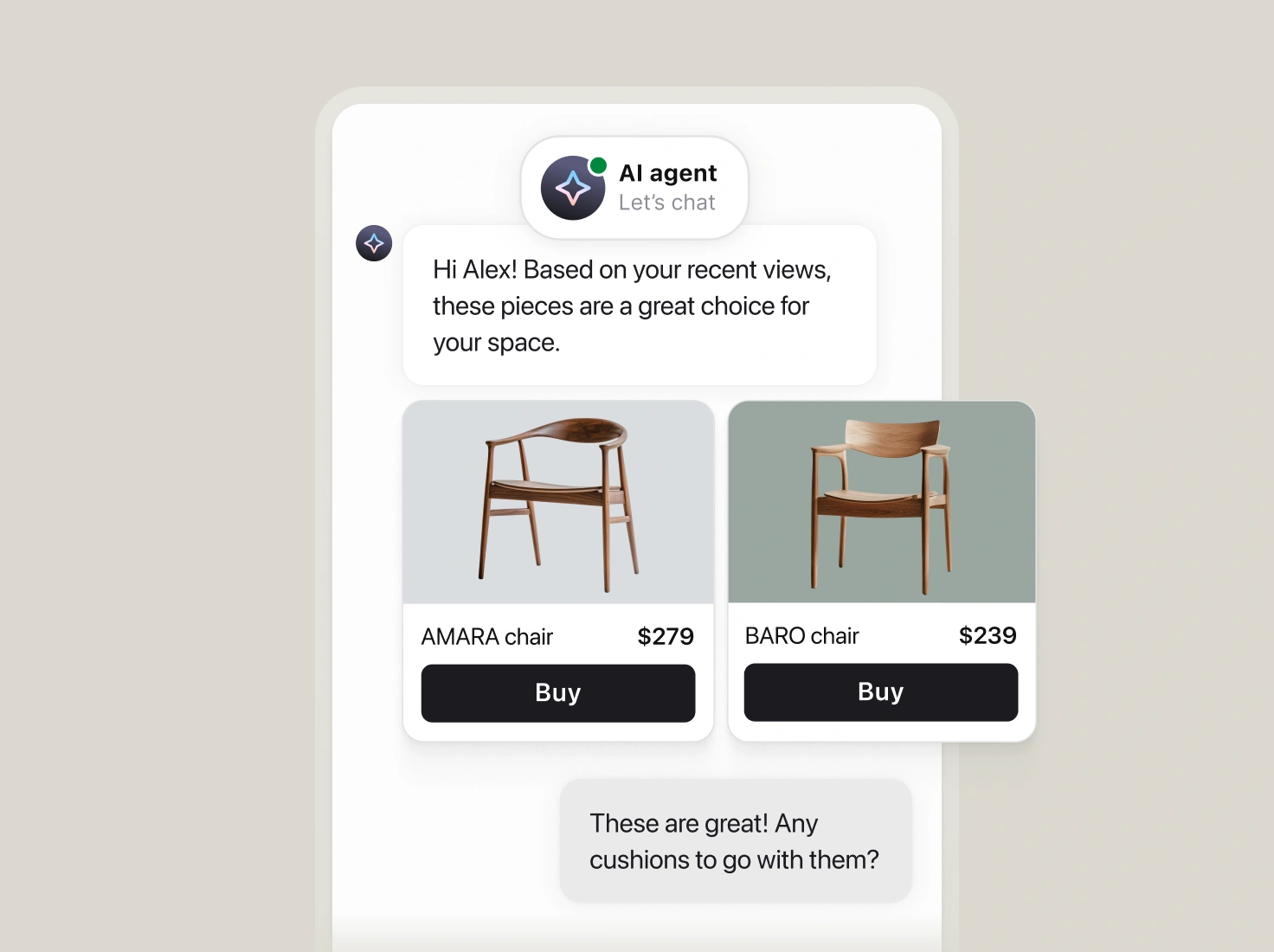
The AI agent suggests products from your catalog and lets shoppers add them to the cart without leaving the conversation.
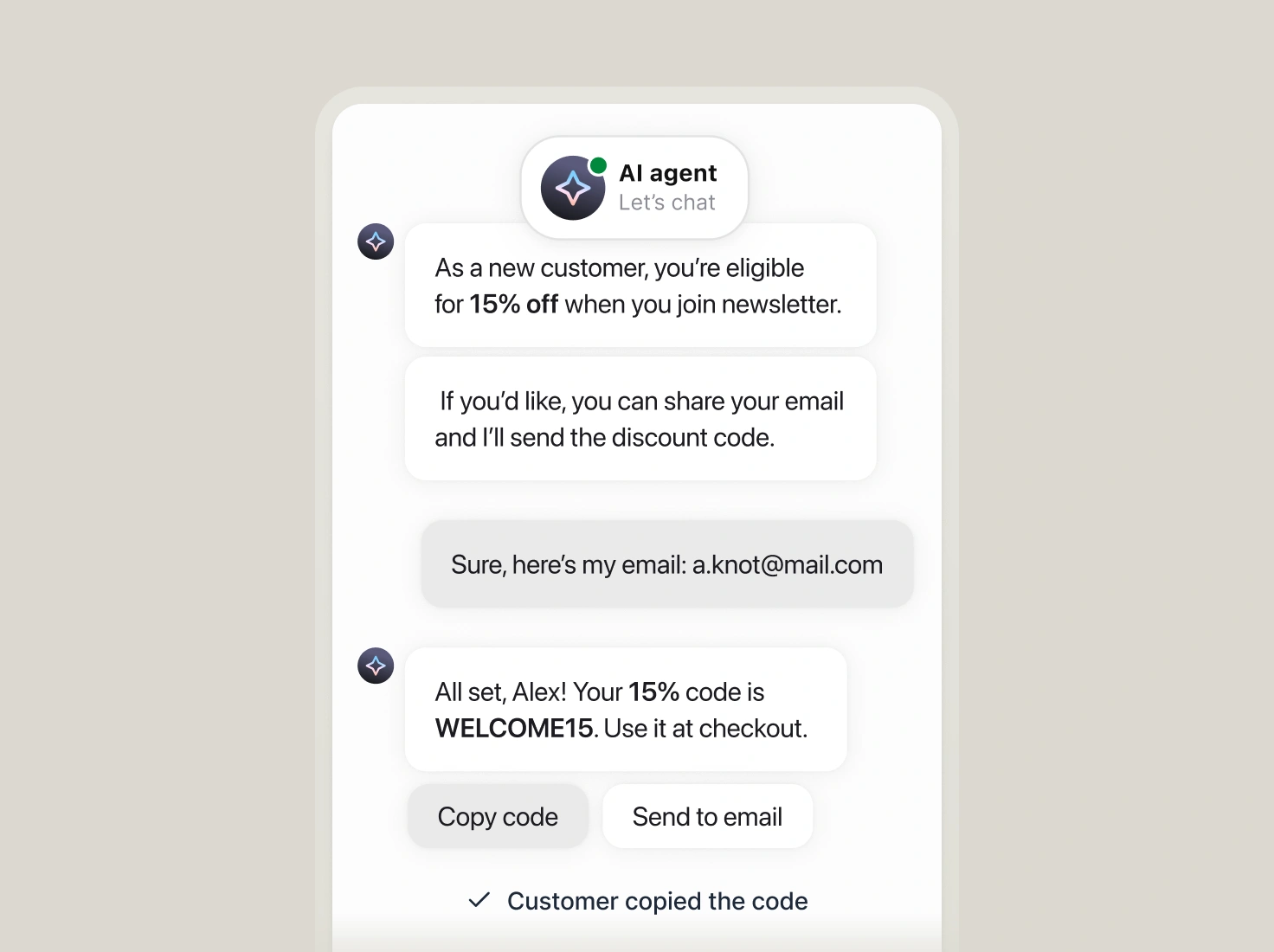
When a shopper asks about a deal, the AI agent shares the code you predefined and keeps the purchase moving.
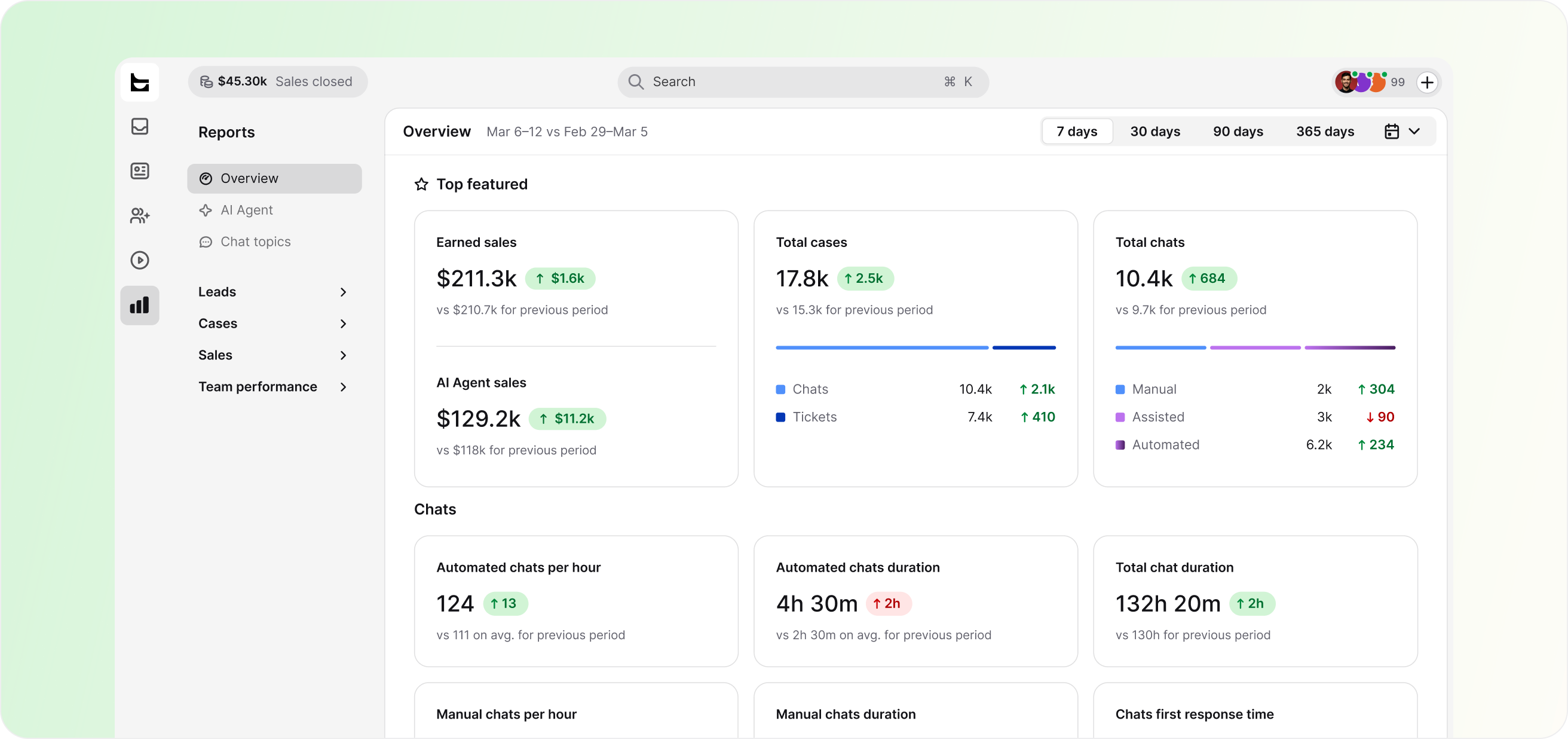
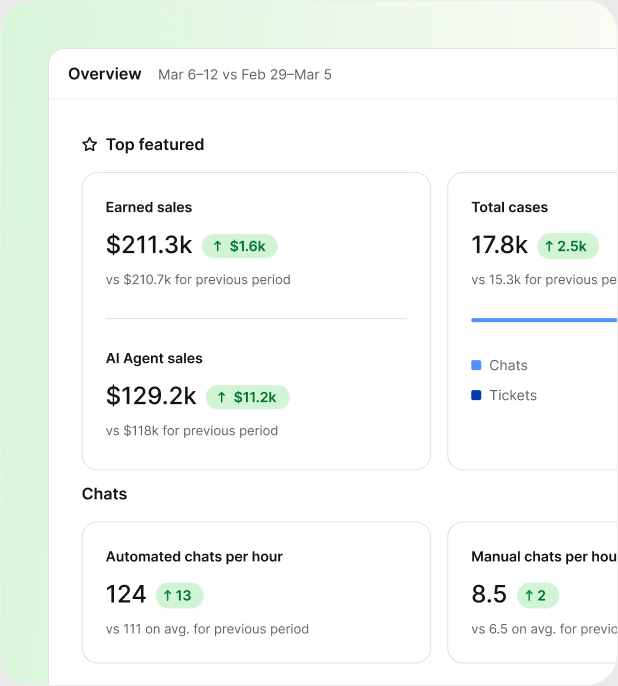

Track resolution rate and response time across your whole team.

See chats handled, resolution rate, and CSAT for your AI agent.

Once your store's connected, track revenue from support conversations.
$1.5M
revenue from support chat in six months

+25%
revenue from support chat in six months

+30%
average order value

Put a dollar figure on your support
Sign up free
I can explore chats and discover what people are actually inquiring about. I can then shape the marketing content and campaigns based on that qualitative data.
Duncan Andrews, CRM & Digital Manager, Experiences by Wembley Stadium
A CRM ticketing system is help desk software that combines support tickets with customer relationship data, like contact details, order history, and past conversations, in one view. Agents see the full customer story on every ticket instead of switching between a separate CRM and a help desk.
People also call it a help desk CRM. Most tools get there by syncing two systems. HelpDesk.com builds the context into the ticketing system itself and adds an AI agent that acts on it. HelpDesk.com is built by Text and comes with a free 14-day trial. If your team also fields internal technical requests, the same queue runs as an IT ticketing system.
Two products mean two records, a lookup at the start of every case, and synced data that lags and doubles the seats you pay for. A CRM ticketing system removes the gap: the context sits on the ticket, so the answer starts the moment the case opens.
The right fit when support owns the customer relationship.
The right fit when a sales team already runs its own CRM.
HelpDesk.com works both ways. Start with the built-in customer list, connect your CRM when you need it, and the AI help desk features work the same context either way.
Plenty of tools bolt a contact database onto a ticket queue and call it CRM ticketing. Five checks tell the real thing apart.

Contact details, order history, and past cases should sit next to the conversation. If agents open a second tool to see who's writing, the "CRM" part isn't doing its job.

Check for the systems you actually run: your CRM, your store, your team chat. Predefined actions beat a bare API, and webhooks cover the rest.
Routing, tagging, and SLA rules should react to who the customer is, not just what the subject line says.
Ask how many cases the AI agent resolves end to end with the customer's own data, not how many it pushes to a help article.
Resolution rate and response time are the baseline. The better question: can it show the revenue your conversations influence?
Your team starts every case knowing the customer, and the tool earns its keep.
A CRM ticketing system holds contact details and order history, so security isn't optional. Role-based access controls who sees what, connections are encrypted, and HelpDesk.com is SOC 2, GDPR, and PCI DSS compliant.
 SOC 2
SOC 2
 GDPR
GDPR
 CCPA
CCPA
 PCI DSS
 DPF
DPF
 WCAG 2
 BBB
BBB
Start your 14-day trial. No credit card required.
Forward your support email or drop the chat widget on your site.
Every conversation adds to your customer list, with no import needed.
A CRM ticketing system is help desk software that combines support tickets with customer relationship data, like contact details, order history, and past conversations, in one view. Agents work each case with the full customer story in front of them instead of switching between a separate CRM and a help desk.
For support work, no. HelpDesk.com builds a customer list from your conversations and shows contact details, order history, and past cases on every ticket. If your sales team runs on a CRM like Salesforce or HubSpot, keep it. HelpDesk.com connects to both and keeps the records in step.
Look for customer context on the ticket, a customer list that updates itself, connections to your CRM and ecommerce stack, automation that acts on that context, an AI agent that resolves routine cases, and reporting that ties service to outcomes. HelpDesk.com covers all six in one ticketing system.
Minutes, not weeks. Sign up, forward your support email to the email ticketing system or drop the chat widget on your site, and tickets start flowing with customer context attached. Your customer list builds itself from there, with no data import required.
Yes. The same customer context works before the sale: the AI agent answers product questions, recommends items, and shares discount codes, while reports show the revenue your conversations bring in. See the sales help desk page for the full picture.
A CRM stores relationship data: contacts, deals, and sales history. A help desk turns customer conversations into tickets your team can track and resolve. HelpDesk.com keeps customer context on every ticket, so your support team gets the useful part of a CRM inside the tool they already work in.
Yes. Workflows in the Playbook include Salesforce actions to find, create, and update accounts, contacts, leads, and cases, plus ready-made templates for lead capture, churn flagging, upsell cases, and ticket-to-case logging. HubSpot and Mailchimp actions add new leads and keep contact data moving. Webhooks and the API cover any other CRM in your stack.
Most tools charge per agent per month, and the price climbs when the CRM and the help desk are separate products. HelpDesk.com plans start at $29 per agent per month, billed annually, with the details on the pricing page and a free 14-day trial to start.
Yes. HelpDesk.com comes with a free 14-day trial and no credit card required, so you can run your real tickets through it before you decide.